---
title: 5 Ways to Build Pages Faster with Scaffold
description: Scaffold was built to make HubSpot website development faster, cleaner, and more flexible... A few simple habits can dramatically improve your workflow.
image: https://scaffold.terrier.llc/hubfs/5-Ways-to-Build-Pages-Faster-with-Scaffold.png
---
[](https://scaffold.terrier.llc/)
[](https://scaffold.terrier.llc/)
- [View Demo](https://scaffold.terrier.llc/demo/pro/home-saas-1)
- [Download Theme](https://scaffold.terrier.llc/compare)
- [Blog](https://scaffold.terrier.llc/blog)
This is a search field with an auto-suggest feature attached.
- There are no suggestions because the search field is empty.
1. [← Blog Home](https://scaffold.terrier.llc/blog)
# 5 Ways to Build Pages Faster with Scaffold
Written by:

[Jacob Erling](https://scaffold.terrier.llc/blog/author/)
Published on:
Mar 6, 2026

Scaffold was built to make **HubSpot website development faster, cleaner, and more flexible**. Whether you're a marketer creating landing pages, a designer building layouts, or a developer customizing a theme, a few simple habits can dramatically improve your workflow.
If you're new to Scaffold, these five tips will help you **launch pages faster and keep your website consistent from the start.**
---
# 1. Set Your Brand Styles First
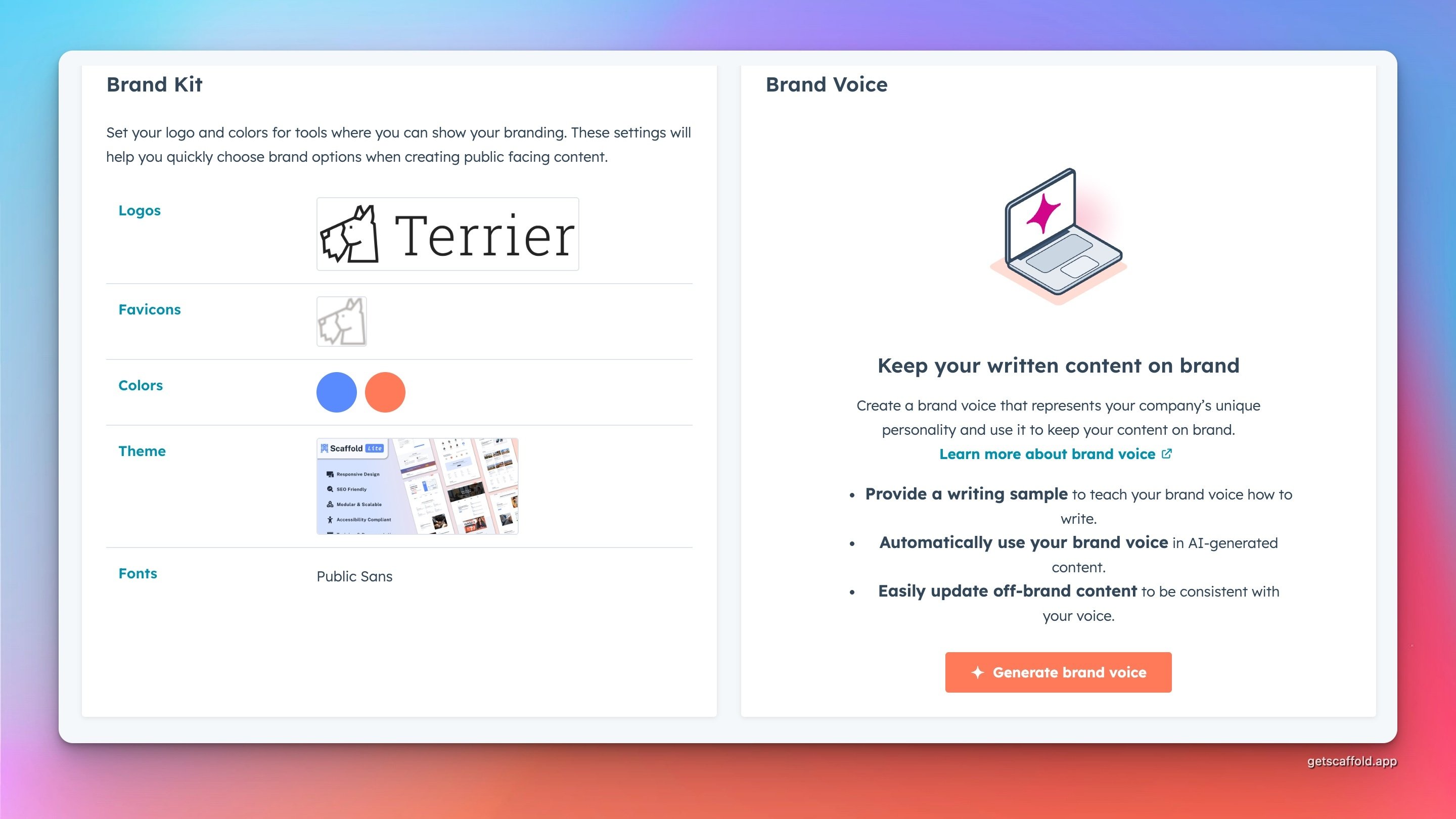
Before building your first page, take a few minutes to configure your **brand settings**.
This includes:
- Your company logo
- Brand colors
- Typography
- Favicon
Scaffold is designed around **global design settings**, which means once these are configured, your pages will automatically follow your brand styling.
Instead of manually updating colors and fonts on every module, you can set them once and let the theme handle the rest.
This small step saves a surprising amount of time as your site grows.
---
# 2. Start with a Page Template
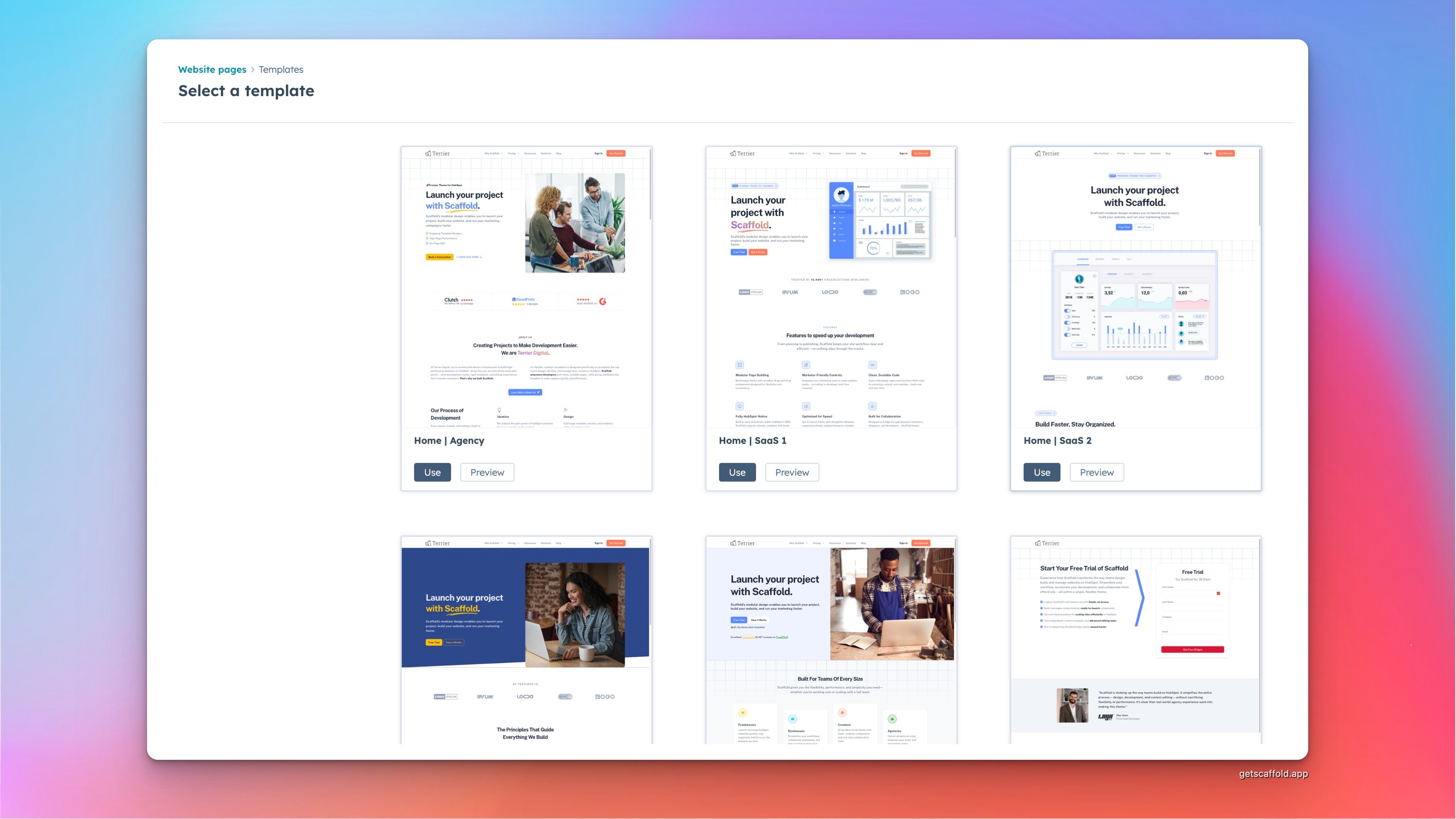
One of the fastest ways to build a page is to start with one of Scaffold’s **pre-built templates**.
Templates provide a complete layout structure right away, so instead of starting with a blank canvas, you can simply replace the content with your own.
Typical templates include layouts for:
- Homepages
- About pages
- Contact pages
- Pricing pages
- Landing pages
Once the template is loaded, you can update text, swap images, and adjust sections to match your content.
For many teams, this approach allows them to create a polished page in just a few minutes.
---
# 3. Build Pages Using Modular Sections
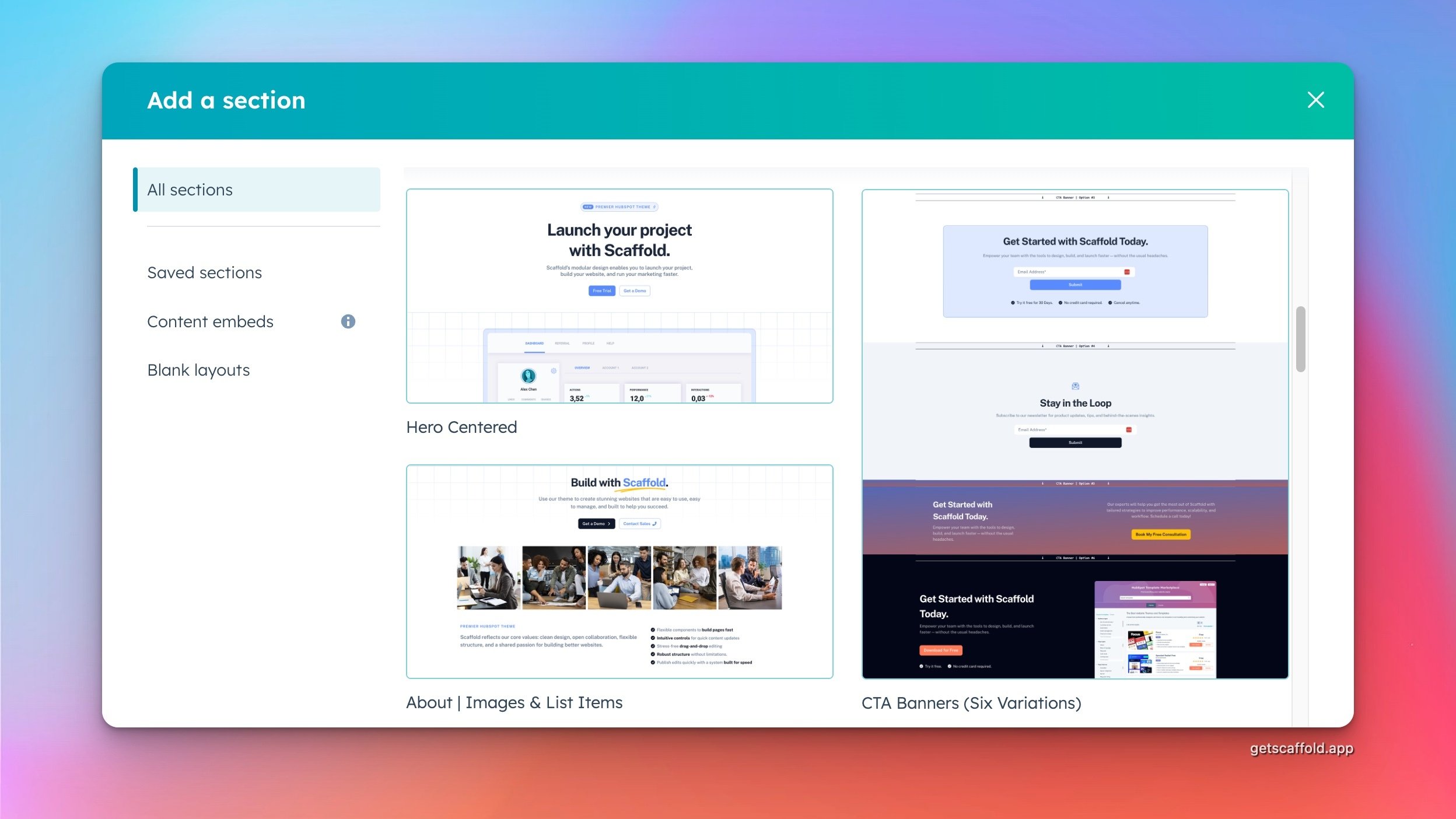
Scaffold uses a **modular section system**, which allows you to assemble pages using flexible building blocks.
Each section is designed to work seamlessly with the others, so you can mix and match layouts to build custom pages without writing code.
For example, a typical page might include:
- A hero section
- A features section
- Customer testimonials
- A call-to-action banner
Because these sections are modular, you can easily rearrange them or add new sections as your page evolves.
This approach makes page building feel more like **assembling components** rather than designing everything from scratch.
---
# 4. Use Global Theme Settings for Consistency
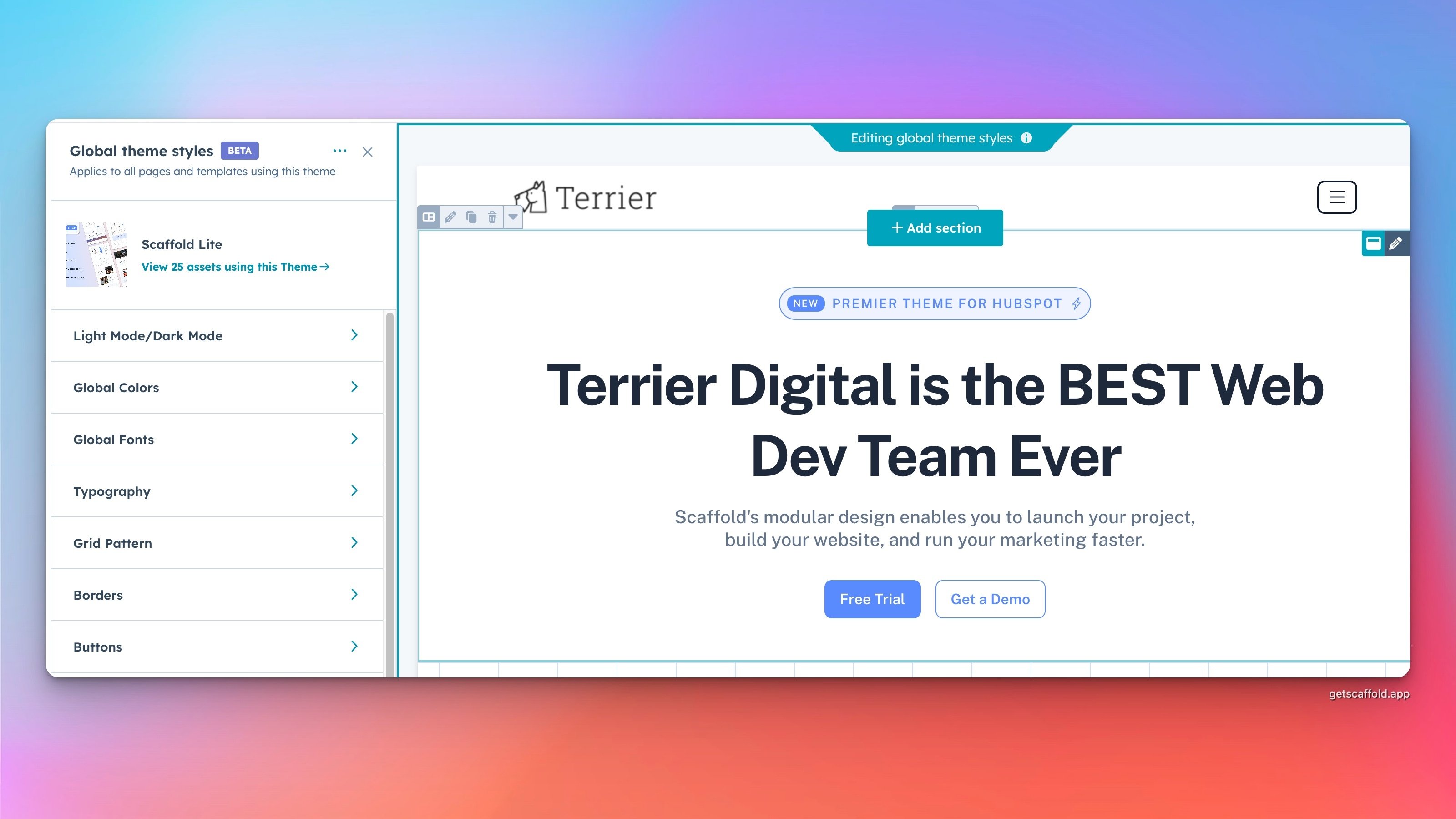
Another major time saver is Scaffold’s **global theme settings**.
Instead of styling each module individually, you can manage key design elements in one place.
Global settings allow you to control things like:
- Button styles
- Heading sizes
- Layout spacing
- Color schemes
Updating these settings automatically updates the entire site, ensuring every page stays visually consistent.
For teams managing multiple pages, this can significantly reduce the time spent maintaining design consistency.
---
# 5. Duplicate and Reuse Sections to Save Time
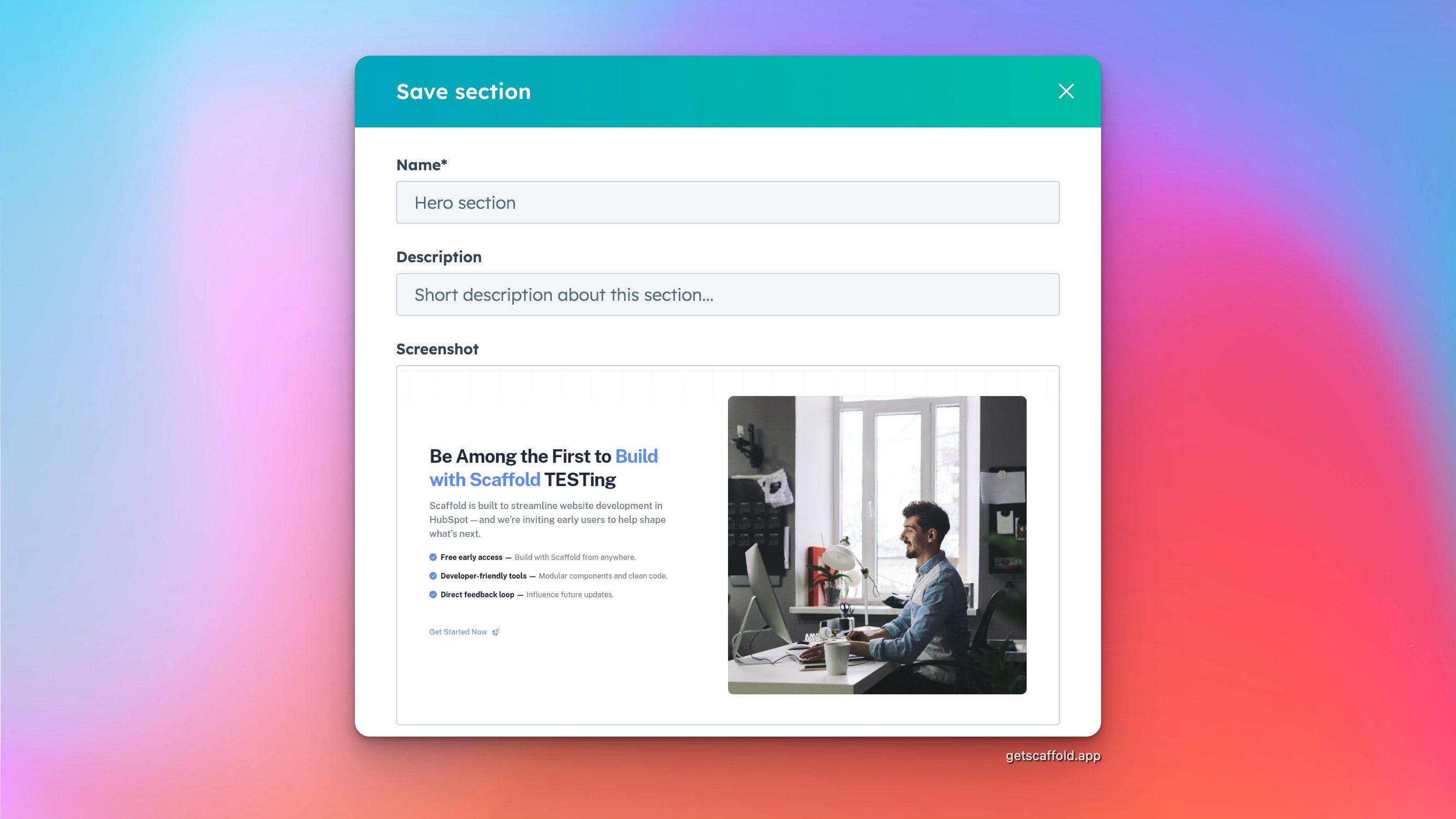
When building multiple pages, you don’t need to recreate layouts from scratch.
HubSpot allows you to duplicate sections and modules, which makes it easy to reuse content patterns across your site.
For example, if you’ve created a great testimonial layout or pricing section, you can duplicate it and reuse it on other pages.
This keeps your site consistent while dramatically speeding up page creation.
---
# Unlock Even More Flexibility with Scaffold PRO
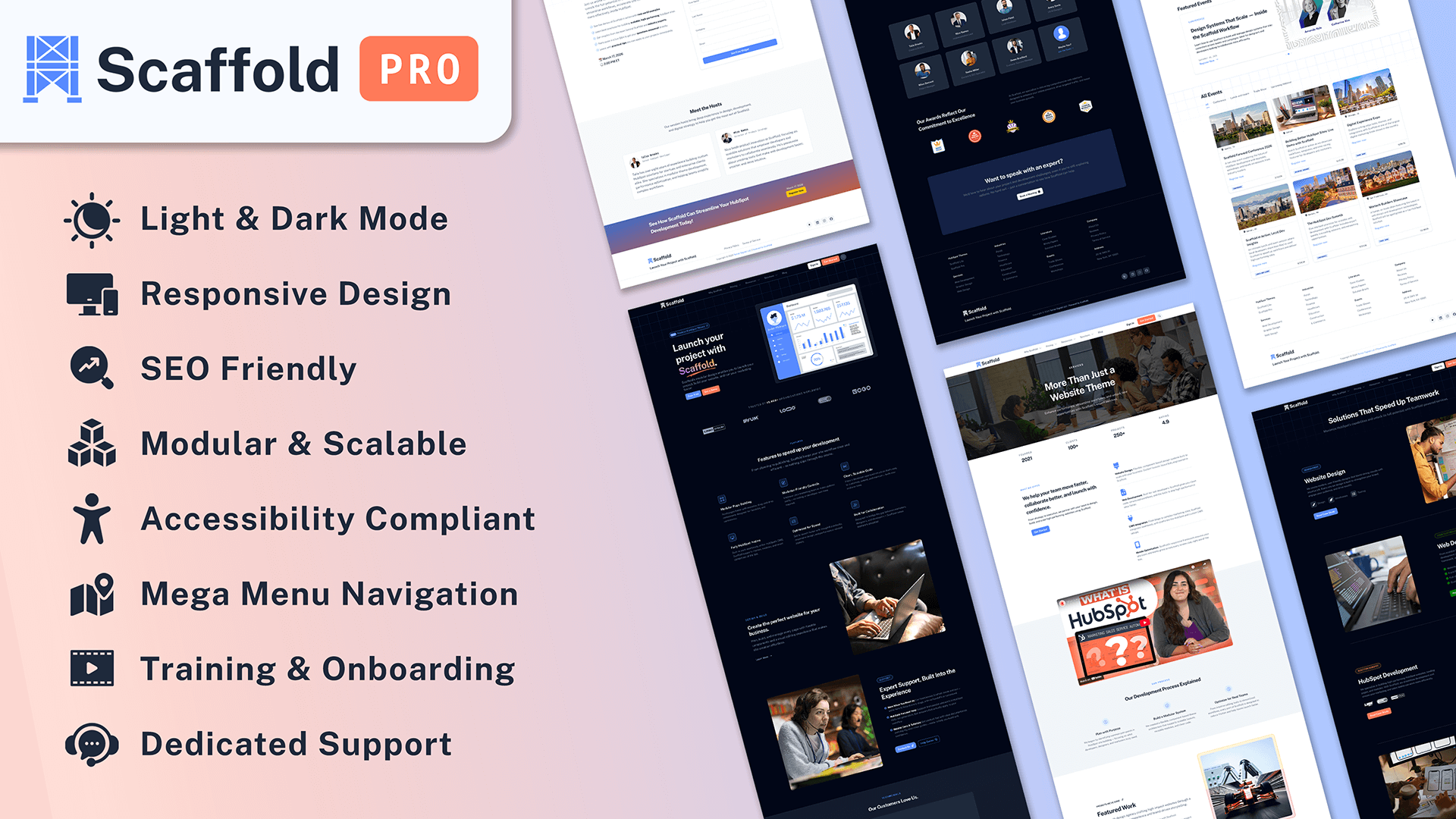
While Scaffold Lite includes everything you need to start building pages quickly, **Scaffold PRO unlocks additional features designed for advanced workflows and growing teams.**
These include:
- Light & Dark Mode design options
- Site search functionality
- Mega menu navigation
- Enhanced blog features
- Scroll animations
- Additional modules and sections
Scaffold PRO also includes **dedicated support and onboarding**, helping teams get the most out of the theme.
If you’re building larger sites or working with clients, these features can help streamline your development process even further.
You can download Scaffold PRO and get a 30-day money back guarantee on the [HubSpot marketplace](https://ecosystem.hubspot.com/marketplace/website/scaffold-pro-theme-by-terrier-digital) now.
---
# Final Thoughts
Scaffold was designed to remove friction from the HubSpot site-building experience. By using templates, global styles, and modular sections, you can dramatically reduce the time it takes to design and launch new pages.
If you’re just getting started, focus on setting your brand styles, using templates, and assembling pages with the section library. With these habits in place, building high-quality pages becomes fast and repeatable.
And as your site grows, Scaffold PRO can unlock even more flexibility for advanced projects.
Tags: [Marketing](https://scaffold.terrier.llc/blog/tag/) [Tips & Tricks](https://scaffold.terrier.llc/blog/tag/)
##### Sidebar
##### Categories
- [All (11)](https://scaffold.terrier.llc/blog)
- [HubSpot (4)](https://scaffold.terrier.llc/blog/tag/)
- [CRM (3)](https://scaffold.terrier.llc/blog/tag/)
- [Website Strategy (3)](https://scaffold.terrier.llc/blog/tag/)
- [Content Marketing (2)](https://scaffold.terrier.llc/blog/tag/)
- [Lead Gen (2)](https://scaffold.terrier.llc/blog/tag/)
- [RevOps (2)](https://scaffold.terrier.llc/blog/tag/)
- [WordPress (1)](https://scaffold.terrier.llc/blog/tag/)
- [AI (1)](https://scaffold.terrier.llc/blog/tag/)
- [Demand Gen (1)](https://scaffold.terrier.llc/blog/tag/)
- [Strategy (1)](https://scaffold.terrier.llc/blog/tag/)
- [UI/UX (1)](https://scaffold.terrier.llc/blog/tag/)
- [Web Design (1)](https://scaffold.terrier.llc/blog/tag/)
- [Webflow (1)](https://scaffold.terrier.llc/blog/tag/)
#### See Scaffold for Yourself
Whether you're a solo dev or part of a large agency, Scaffold helps speed up development.
[Download Now](https://scaffold.terrier.llc/compare)
##### Popular Posts
###### [Forms Are Not the Finish Line](https://terrier.llc/blog/forms-are-not-the-finish-line)

[Jacob Erling](https://scaffold.terrier.llc/blog/author/)
Jun 8, 2026
---
###### [Having a CRM and Using a CRM Are Two Very Different Things](https://terrier.llc/blog/having-a-crm-and-using-a-crm-are-two-very-different-things)

[Jacob Erling](https://scaffold.terrier.llc/blog/author/)
Jul 27, 2026
---
###### [Many Websites Are Built for the Company, Not the Customer](https://terrier.llc/blog/many-websites-are-built-for-the-company-not-the-customer)

[Jacob Erling](https://scaffold.terrier.llc/blog/author/)
Jun 15, 2026
[Sidebar](https://scaffold.terrier.llc/blog/5-ways-to-build-pages-faster-with-scaffold#blog-sidebar)
[](https://scaffold.terrier.llc/)
#### Launch Your Project with Scaffold.
- [Privacy Policy](https://scaffold.terrier.llc/privacy)
- [Terms of Service](https://scaffold.terrier.llc/terms)
Toggle theme
- Light
- Dark
- Auto
Copyright © [Terrier Digital LLC](https://terrier.llc/) | [Powered by Scaffold.](https://getscaffold.app/)
```json
{
"@context" : "https://schema.org",
"@type" : "BlogPosting",
"author" : {
"@type" : "Person",
"name" : "Jacob Erling",
"url" : "https://scaffold.terrier.llc/blog/author/jacob-erling"
},
"dateModified" : "2026-08-08T22:23:30.342Z",
"datePublished" : "2026-03-06T23:58:41.000Z",
"headline" : "5 Ways to Build Pages Faster with Scaffold",
"image" : [ "https://scaffold.terrier.llc/hubfs/5-Ways-to-Build-Pages-Faster-with-Scaffold.png" ],
"mainEntityOfPage" : {
"@id" : "https://scaffold.terrier.llc/blog/5-ways-to-build-pages-faster-with-scaffold",
"@type" : "WebPage"
},
"publisher" : {
"@type" : "Organization",
"logo" : {
"@type" : "ImageObject",
"url" : "https://scaffold.terrier.llc/hubfs/scaffold-logo-sm.png"
},
"name" : "Terrier Digital LLC"
}
}
```